

Export Item from Knowledge Vault
You can export items from the Knowledge Vault to download a copy of the content in JSON format. This feature allows you to back up data, share configurations, or migrate items between environments readily.
Prerequisites
- Contentstack account
- Brand Kit-enabled Organization with Owner or Admin permissions, or as Collaborator
- An existing Knowledge Vault Item
What You Will Learn
-
How to export a single Knowledge Vault item as a JSON file.
-
How to export multiple Knowledge Vault items at once.
Steps for Execution
To export a Knowledge Vault item, log in to your Contentstack account and perform the following steps:
- Navigate to App Switcher in the top-right corner and select Brand Kit.
- Select the Brand Kit containing the Knowledge Vault item you want to export.
- Click Knowledge Vault.
- Under Actions, click the vertical ellipses corresponding to the Knowledge Vault item that you want to export, and then select Export.
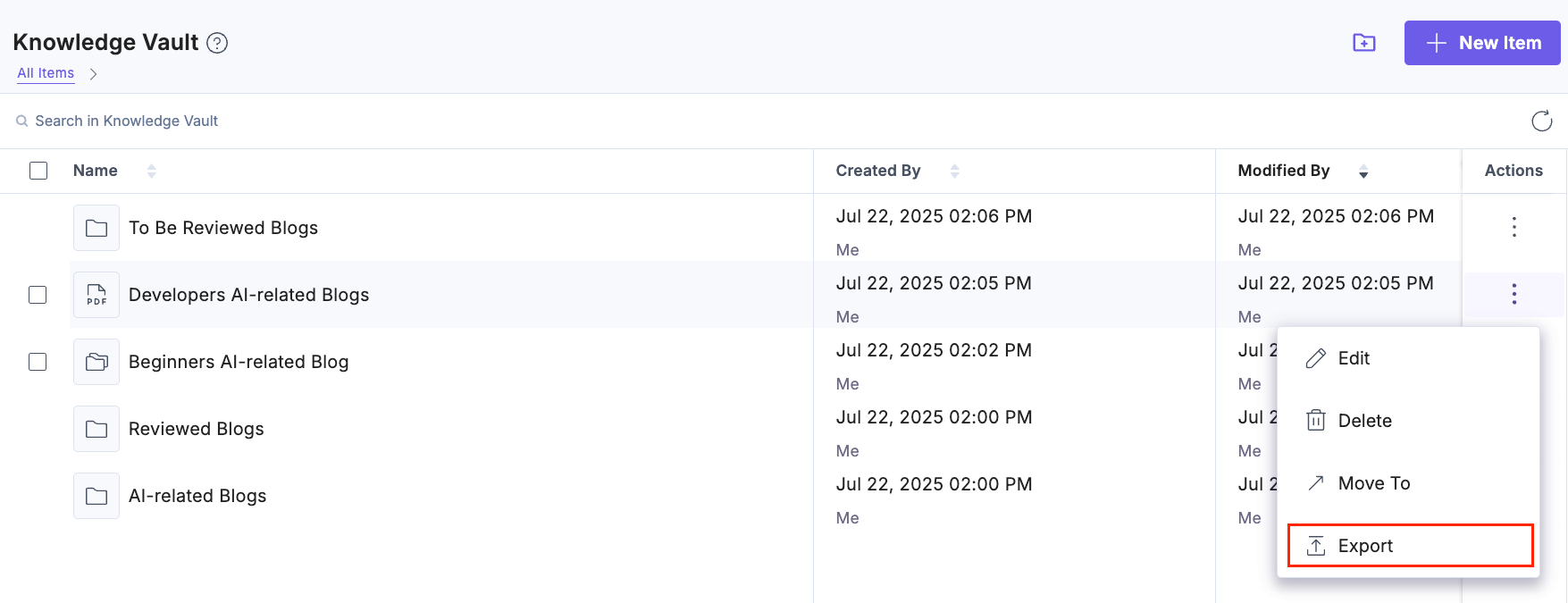
Note: Subfolders cannot be exported.
- To export multiple items, select the checkboxes for the desired Knowledge Vault Items and click Export from the floating bar.
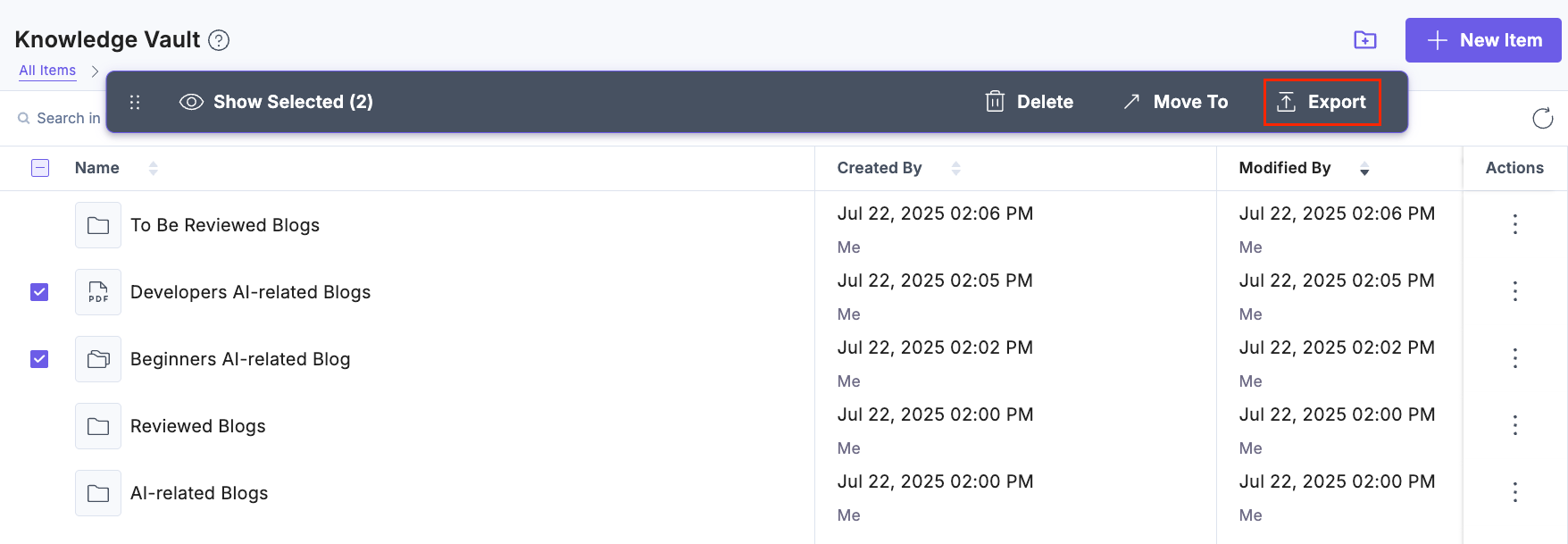
The selected items will be downloaded as .json files.
Related Resource
Was this article helpful?
More articles in "Understanding Knowledge Vault"
