

Create a Lytics CDP Project
A Lytics project stores and manages user data profiles within the Lytics CDP. Creating a project provisions the underlying Lytics account, generates the JStag installation snippet for your front-end, and makes the project available for connections to your CMS stacks, Launch projects, and Personalize projects.
Prerequisites
- Contentstack account
- Access to the Contentstack Organization as the Owner/Admin that has Lytics enabled
- The primary domain of the website or application where JStag runs.
Steps for Execution
Create a Project
To create a new project in Lytics CDP, log in to your Contentstack account and perform the following steps:
- In the top navigation bar, click the App Switcher icon and then click Lytics CDP.
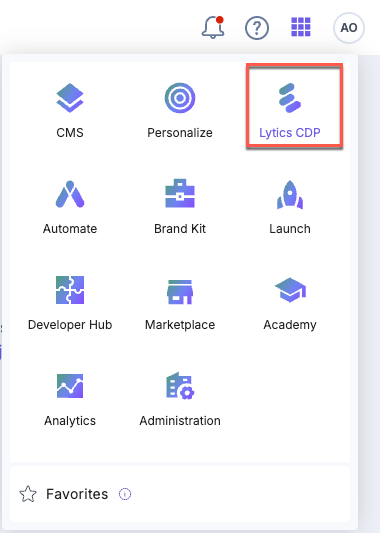
- The system redirects you to the Lytics CDP Project landing page.
- Click the + New Project button.
- In the Create New Project modal, provide the following details:
- Project Name (required): A unique, human-readable name for the project within your organization.
- Description : Free-text description. Useful when your organization manages multiple projects.
- Domain (required): The primary domain where JStag runs (for example, acme.com). Must be a valid fully-qualified domain name.
- After filling out the information, click the Create button.
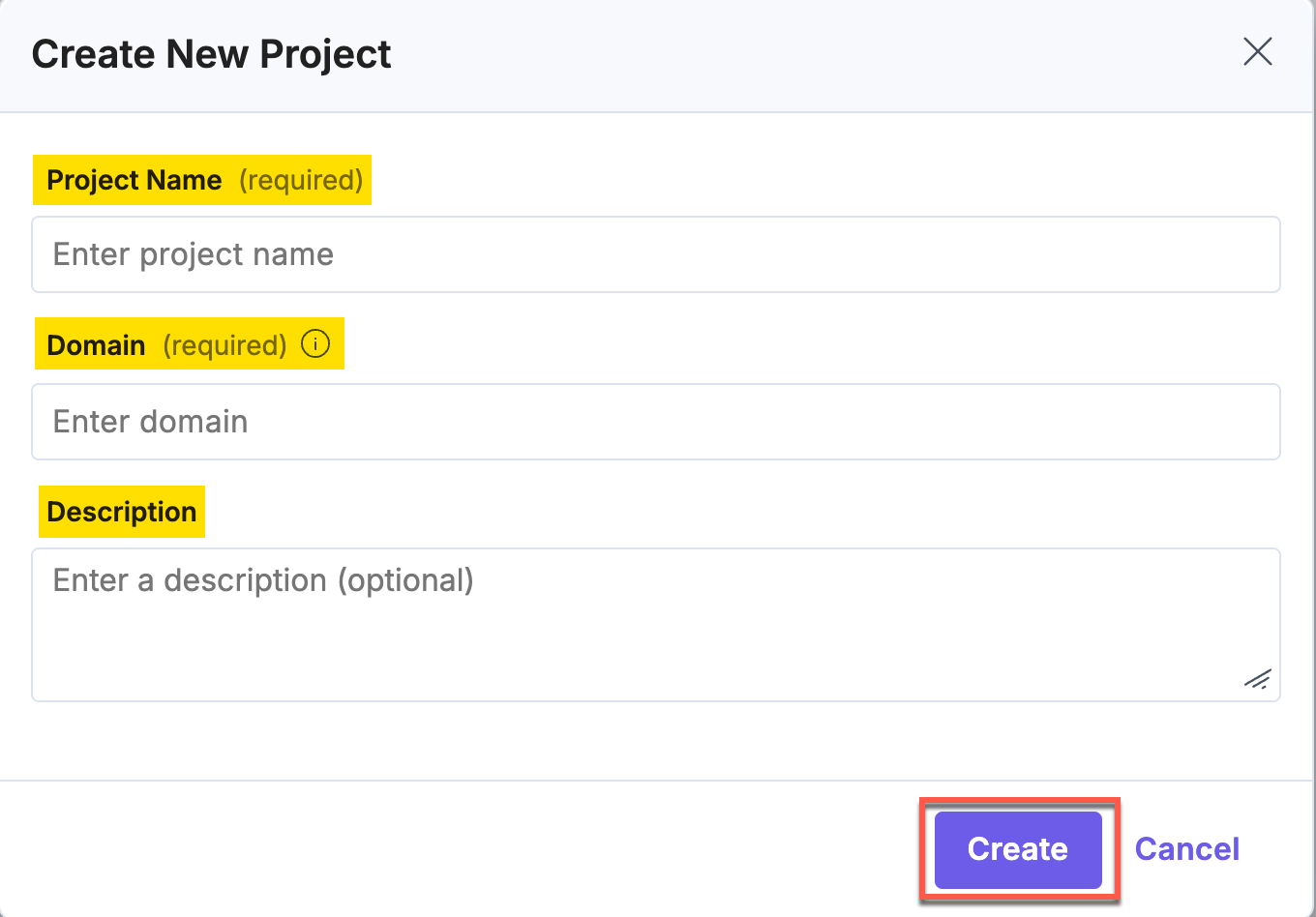
Upon successful creation, the modal closes and you are taken to the new project’s dashboard.
Note: If you see a MAX_PROJECT_LIMIT_REACHED error, your organization has reached its project quota. Contact Contentstack support to discuss limits.
Was this article helpful?
More articles
