

Add the Global Field to Content Types
Global fields in Contentstack help you reuse structured sets of fields across multiple content types, ensuring consistency and reducing redundancy.
To add a Global field to your content type, log in to your Contentstack account, and perform the following steps:
- Click the Content Models icon to view the available content types.
- Select the content type you want to edit.
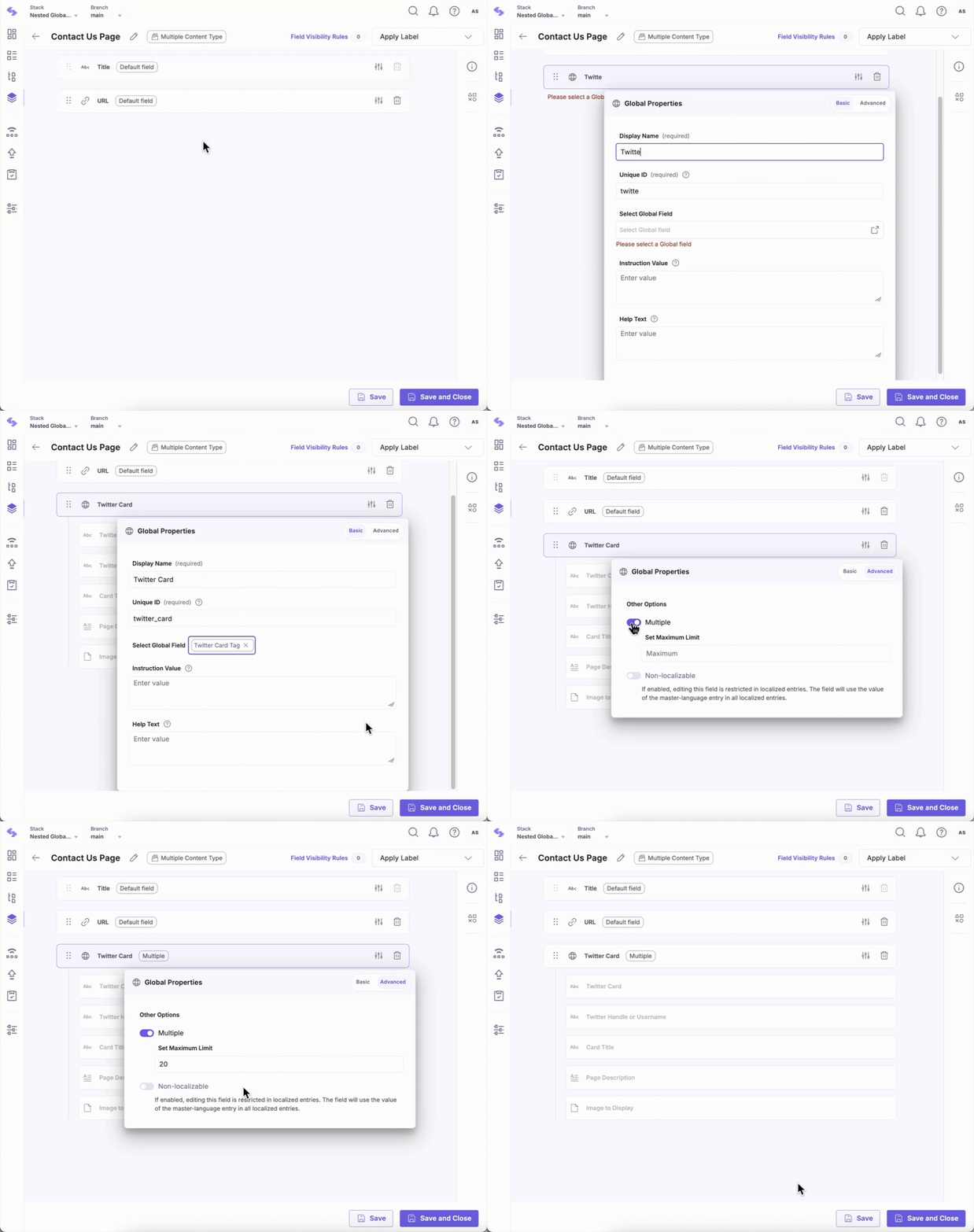
- Click the “+” (Insert a field) icon and select Global from the list.
- To modify the properties of the Global field, click the Properties icon. This opens a modal with two tabs: Basic and Advanced.
- In the Basic tab, under Select Global Field, choose your Global field. The selected field appears in your content type as a field, containing the required sub-fields.
Note: You can add up to 25 Global fields in a content type.
- In the Basic tab, you can modify the following properties of a Global field at any time:
- Display Name: Defines how the field appears in the UI.
- Unique ID: A system-generated identifier for the field.
- Instruction Value: Guides users in filling the field.
- Help Text: Displays additional information to assist users.
- In the Advanced tab, you can configure the following properties:
- Mandatory: Marks the field as required. Content managers must provide a value, and the entry cannot be published until the field is filled.
- Multiple: Allows multiple instances for the field.
- Non-localizable: Set the field’s data only in the master-language entry.
- Show as Tab: Organizes entry fields into separate tabs within the entry editor. This is a plan-based feature and may not be available to all users.
Note:
- Any changes to a Global field, its subfields, or properties automatically apply to all content types using the field.
- Adding a Global field to a content type counts as one field, but all its subfields contribute to the total field count.
By adding a Global field, you ensure consistency, reduce duplication, and simplify updates.
Was this article helpful?
More articles in "Work with Global Field"
