

Move/Reorder a Term
After creating terms, you can adjust their hierarchy within the taxonomy.
To move or reorder terms within a taxonomy, log in to your Contentstack account, and perform the following steps:
- Go to your stack where you want to edit the terms, navigate to the “Settings” icon (press “S”), and select Taxonomy.
- Select the taxonomy for which you want to move or reorder the terms.
- To rearrange the terms, hover over it, then drag and drop it to your desired position. After placing the term, click Move in the confirmation popup modal that appears.
- To relocate a term as a parent term, use drag and drop when you see a guiding line.
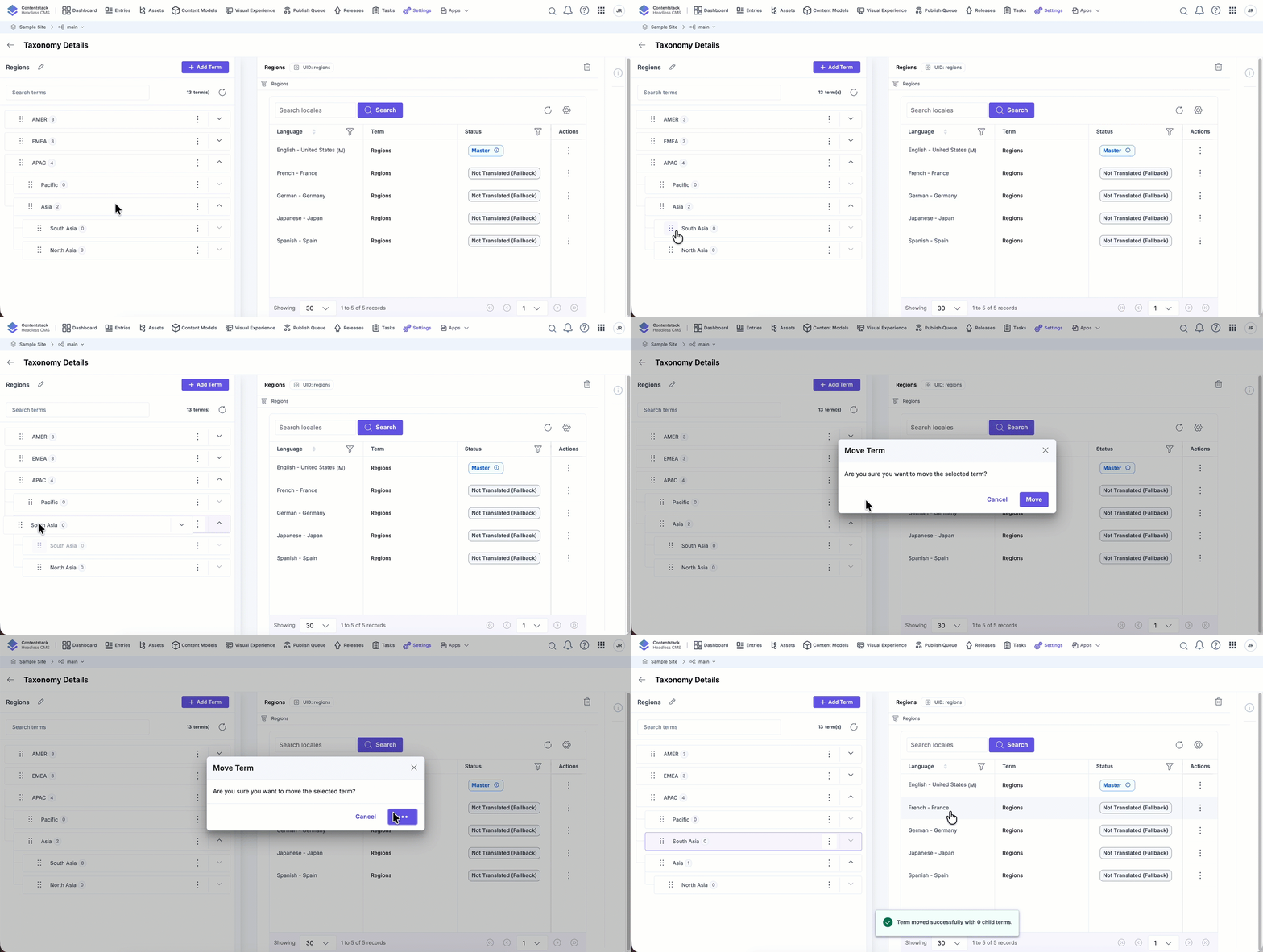
- To place the term as a child term, simply drag and drop it when a box appears.
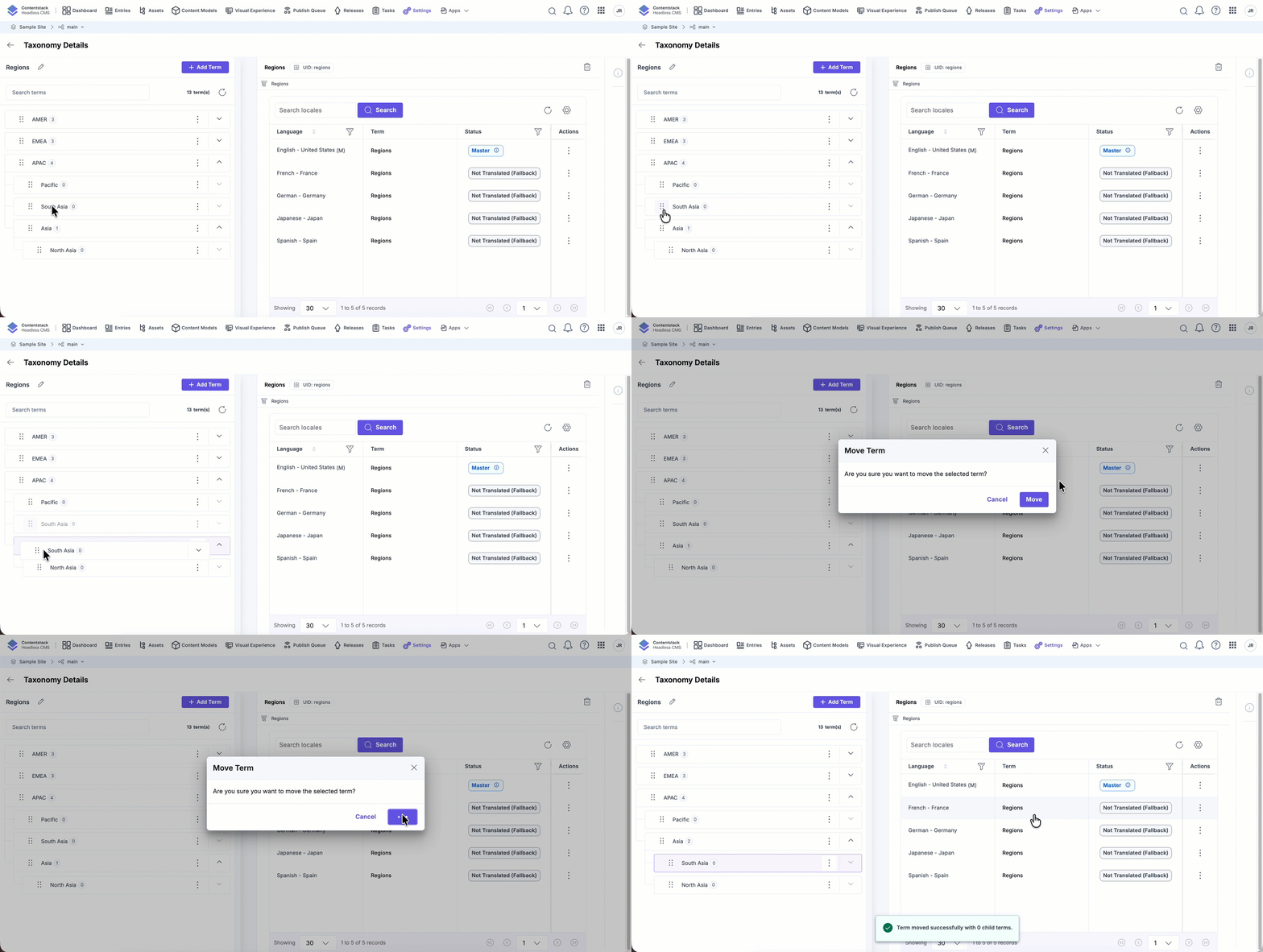
- To relocate a term as a parent term, use drag and drop when you see a guiding line.
API Reference
To move and reorder terms via API, refer to the Move/Reorder a Term API request.
Was this article helpful?
