.svg) Headless Content Management
Headless Content Management.svg) Real-time Data and Insights
Real-time Data and Insights.svg) Omnichannel Personalization
Omnichannel Personalization.svg) Agents & Automations
Agents & Automations.svg) Front-end Hosting
Front-end Hosting

Export a Taxonomy
With Contentstack, you can easily export a taxonomy in a JSON or CSV file.
To export a taxonomy, log in to your Contentstack account, and perform the following steps:
- Go to your stack where you want to export a taxonomy, navigate to the “Settings” icon (press “S”), and select Taxonomy.
- Select the taxonomy you want to export and click the “ellipsis” (three dots) in the Actions column.
- Choose the file format for exporting your taxonomy by selecting either Export as JSON or Export as CSV.
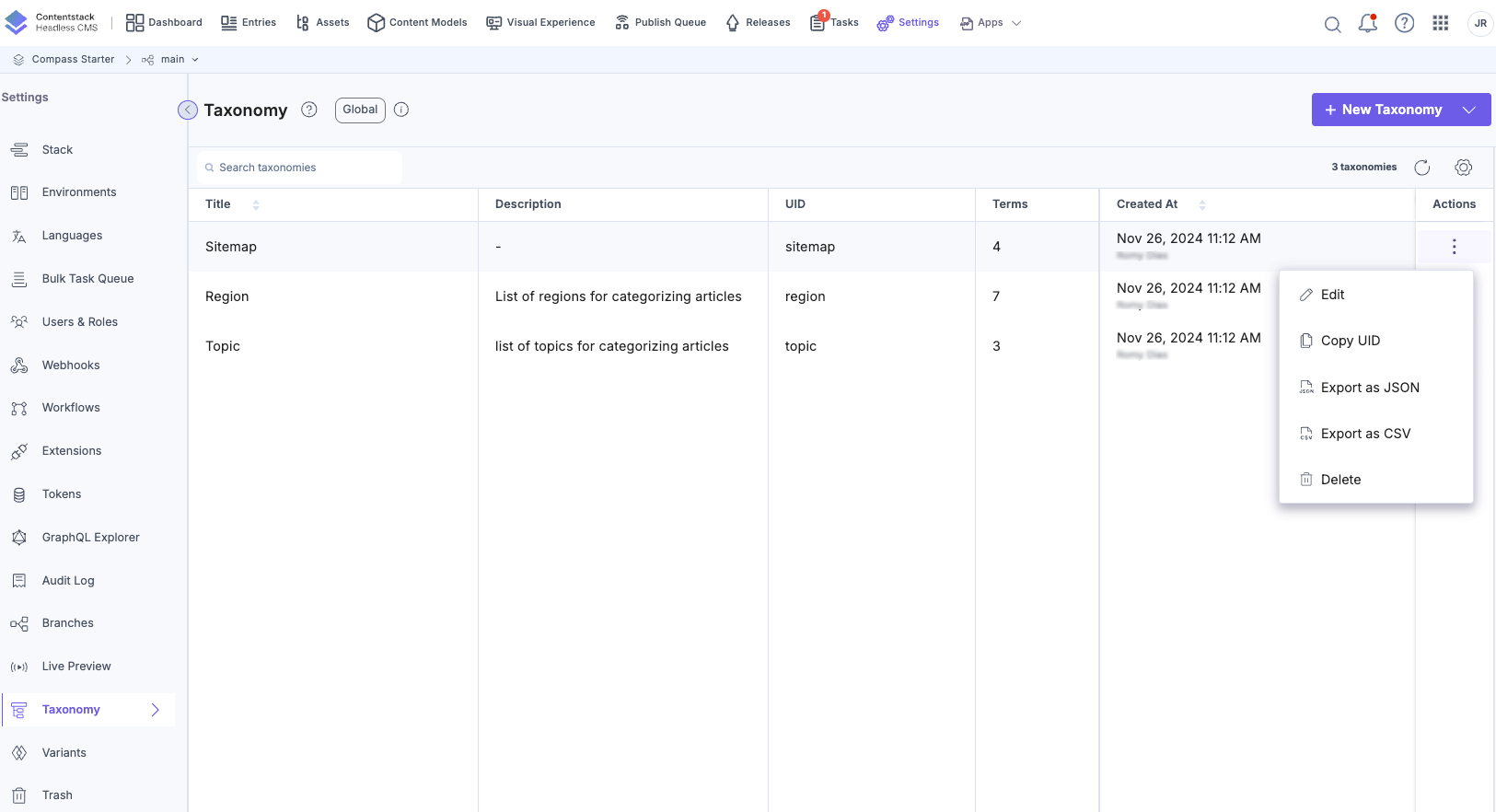
The system downloads the JSON or CSV file of your taxonomy and saves it to your local storage
API Reference
To export taxonomies via the API, refer to the Export a Taxonomy API request.
Was this article helpful?
More articles in "Work with Taxonomy"
