

About Contentstack Launch
Contentstack Launch is a fully integrated, fully automated MACH-compliant front‑end hosting and deployment platform that integrates directly with your Git providers, supports static and server‑side rendered (SSR) frameworks, and provides a robust suite of features for efficient project delivery, while maintaining scalability and security.
Core Features
- Project Bootstrap & Deployment
- Instant provisioning by linking GitHub or Bitbucket repositories, or uploading ZIP files.
- Full support for frameworks such as Gatsby, Next.js, Vue, React, Angular, Remix, Nuxt, client-side rendering (CSR).
- Multi-Environment Management
- Create distinct environments (e.g., dev, staging, prod), each accessible via a unique URL.
- Configure branch, custom build commands, environment variables, and password protection.
- Advanced Deployment & Logs
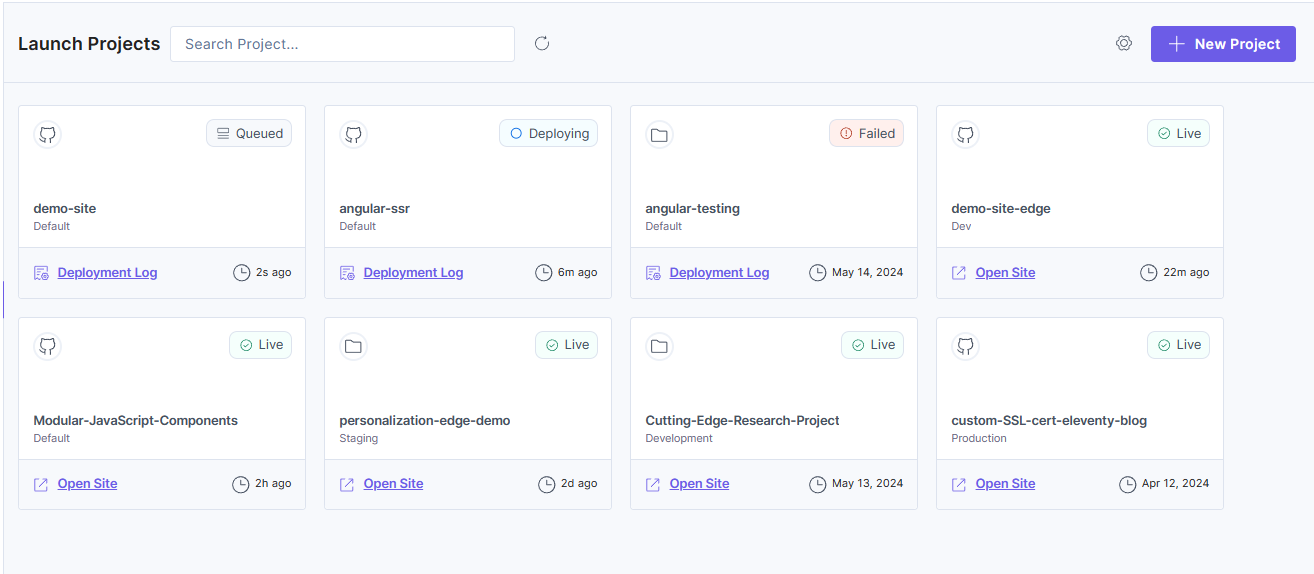
- Detailed deployment history, statuses such as Live, Failed, or Queued, logs, and redeploy options via UI, Git commits, or deploy hooks.
- Deploy Hooks Integration
- Unique HTTP trigger URLs to initiate deployments programmatically or via CI/CD (e.g., cron jobs or CMS webhooks).
- Custom Domains & Auto HTTPS
- Set up branded domains with SSL by default.
- Supports apex domain redirection.
- Cloud Functions
- Run serverless functions to handle backend tasks or API integrations directly within Launch.
- Edge Functions
- Deploy custom logic at the CDN edge for real-time personalization, authentication, or URL rewrites with minimal latency.
- CLI for Launch
- Use the Contentstack CLI to create, manage, and deploy Launch projects programmatically, or integrate commands into CI/CD workflows.
- Performance
- Cache Priming: Preloads key pages to the CDN during deployment for faster first-load times.
- Launch uses a global CDN network to deliver content closest to the users.
- Observability & Scaling Tools
- Log Targets: Send server or edge logs via OpenTelemetry to external monitoring services.
- Load-Testing Support: Includes a checklist and best practices to simulate peak traffic and validate scalability.
- Security & Access Control
- Password protect environments.
- Role-based user management (Owner, Admin, Read-Only) with granular permissions.
- Traffic Encryption: HTTPS/TLS 1.2 & 1.3 by default, with auto-upgrades.
Key Benefits
- Speed & Simplicity: One-click deployments, automatic builds triggered via Git, and instant rollbacks, simplify CI/CD and accelerate time to market.
- Built-in DDoS Protection: CDN-level mitigation absorbs malicious traffic at the edge, safeguarding environments against volumetric attacks while ensuring performance and availability remain unaffected.
- Reliable Environments: Isolate development, testing, and production with consistent configuration and environment isolation.
- Optimized Performance: CDN-backed delivery, proactive cache priming, and SSL enforcement ensure fast, secure, and responsive user experiences.
- Full Automation: Deploy hooks enable flexible triggers such as CI workflows, events triggered by the CMS, or scheduled builds.
- Scalable & Observable: Supports mission-critical traffic surges and provides actionable logs for performance tuning.
- Brand Control & Trust: Custom domains, HTTPS enforcement, and password-protected previews enhance professionalism and security.
Use Cases
- Modern Jamstack deployments: Host Next.js, Angular, Nuxt, Remix, Gatsby, React, Vue or Other frameworks applications with CI integration.
- CMS-driven sites: Automatically rebuild the frontend when content is published in Contentstack.
- Multi-environment workflows: Maintain consistent pipelines across development, staging, and production environments.
- Performance-first initiatives: Prime caches and test load resilience before launch.
- Enterprise-grade observability: Redirect logs to Splunk, Datadog, or AWS CloudWatch via OpenTelemetry.
Summary
Contentstack Launch empowers your web teams to:
- Rapidly launch and iterate on frontend apps.
- Maintain secure and branded delivery environments.
- Optimize for performance and scale.
- Gain full visibility and control over builds and deployments.
- Collaborate securely with role-based access.
It provides a comprehensive deployment solution for Contentstack-based digital experiences, combining the agility of a headless CMS with enterprise-grade hosting capabilities.
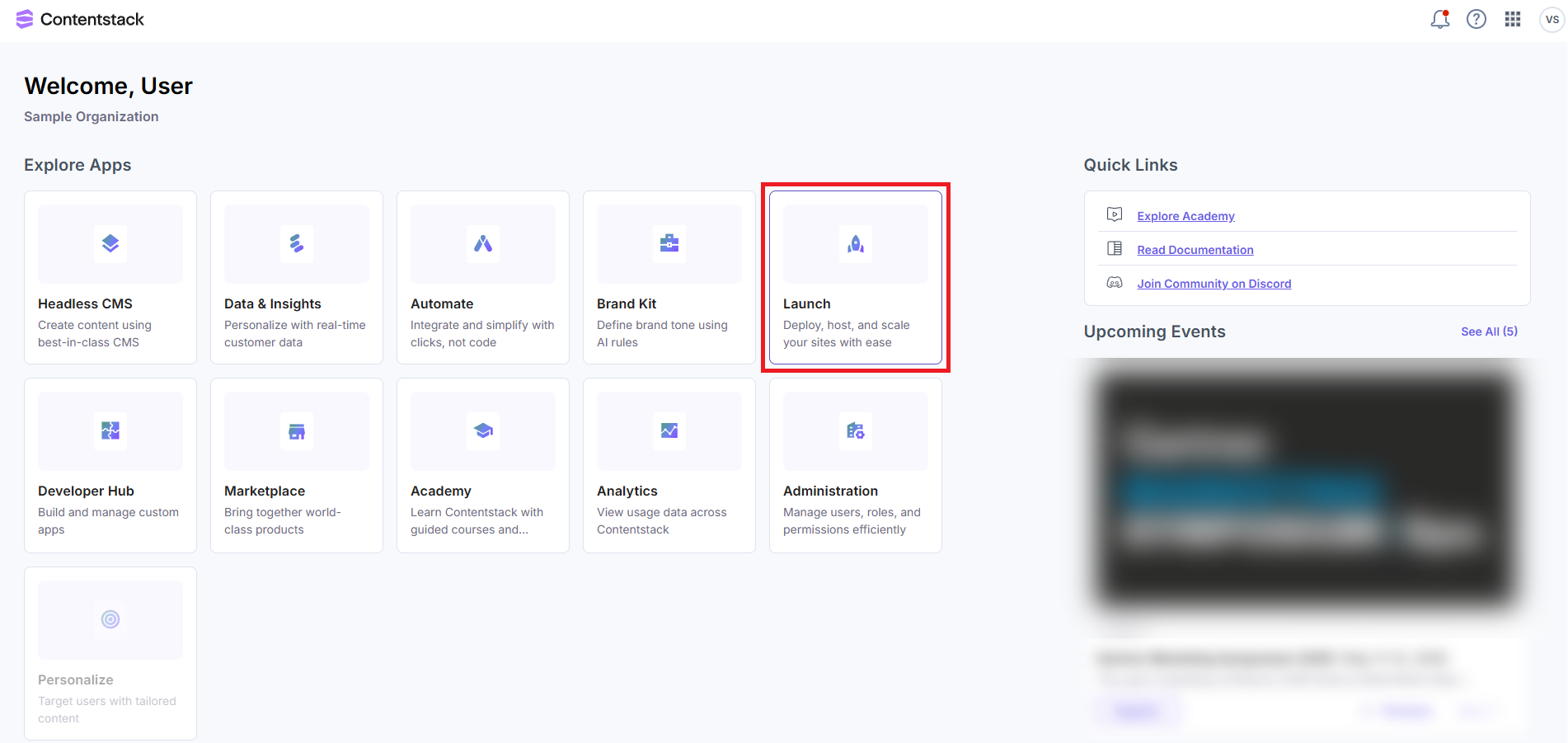
To access Launch, log in to your Contentstack account and click the Launch option from the dashboard, as shown below.
Your Launch landing page will look as follows:
Was this article helpful?
