.svg) Headless Content Management
Headless Content Management.svg) Real-time Data and Insights
Real-time Data and Insights.svg) Omnichannel Personalization
Omnichannel Personalization.svg) Agents & Automations
Agents & Automations.svg) Front-end Hosting
Front-end Hosting

Basic Formatting
This guide explains the essential text styles and structural formatting options available in the Contentstack JSON Rich Text Editor (RTE). These features help ensure your content is both visually appealing and well-organized, offering flexibility for various editorial needs.
Text Styles
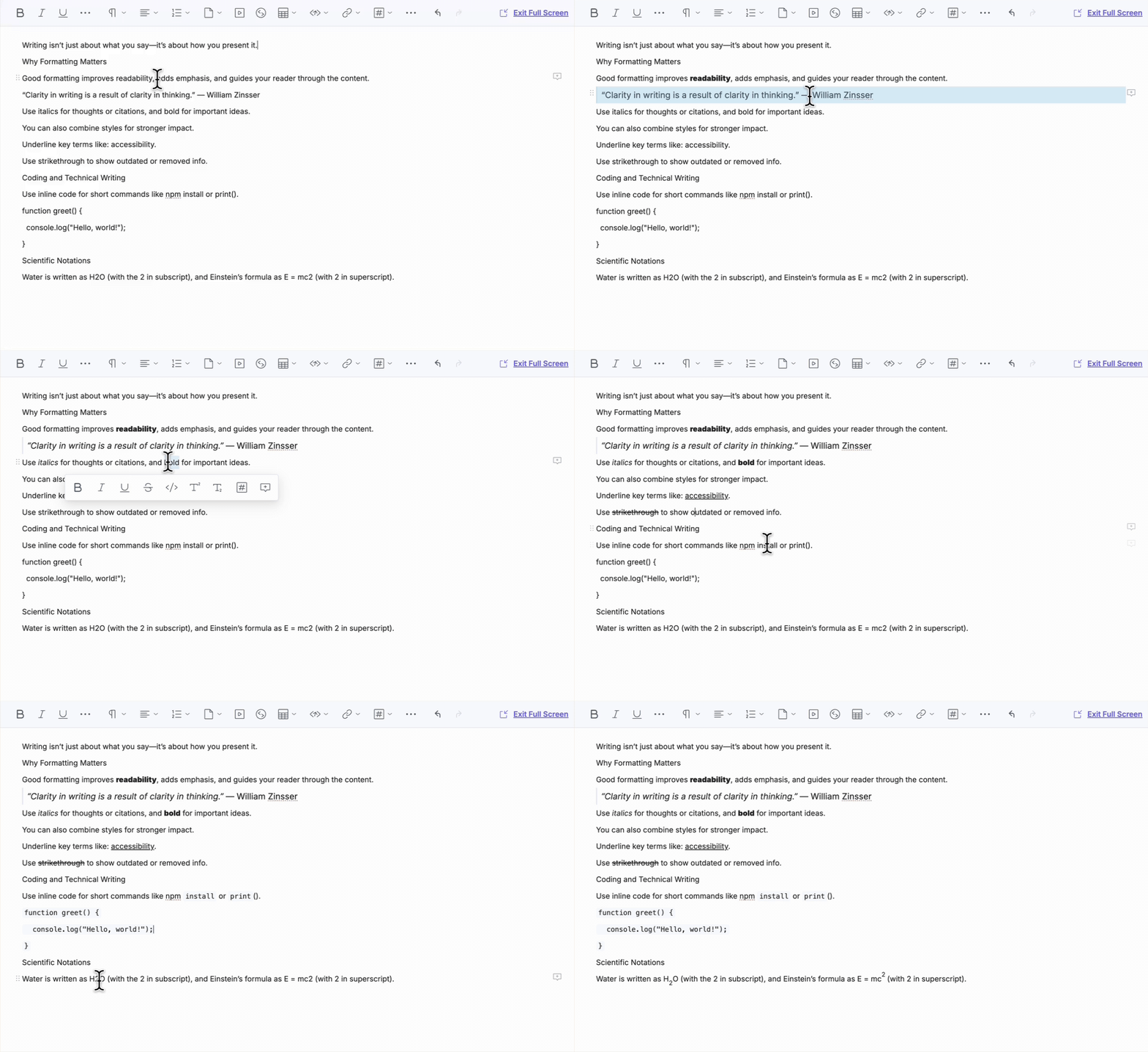
The following inline text styles are supported to enhance the appearance and readability of your content.
- Bold: Used to emphasize key points or important content.
- Italic: Used for emphasis or to indicate thoughts and citations.
- Underline: Helps to highlight important terms or phrases.
- Strikethrough: Used to show removed or deprecated content.
- Inline Code: Useful for displaying code snippets or programming references within text.
- Superscript: Used for mathematical notations or footnotes.
- Subscript: Often used for chemical formulas or mathematical expressions.
Formatting Options
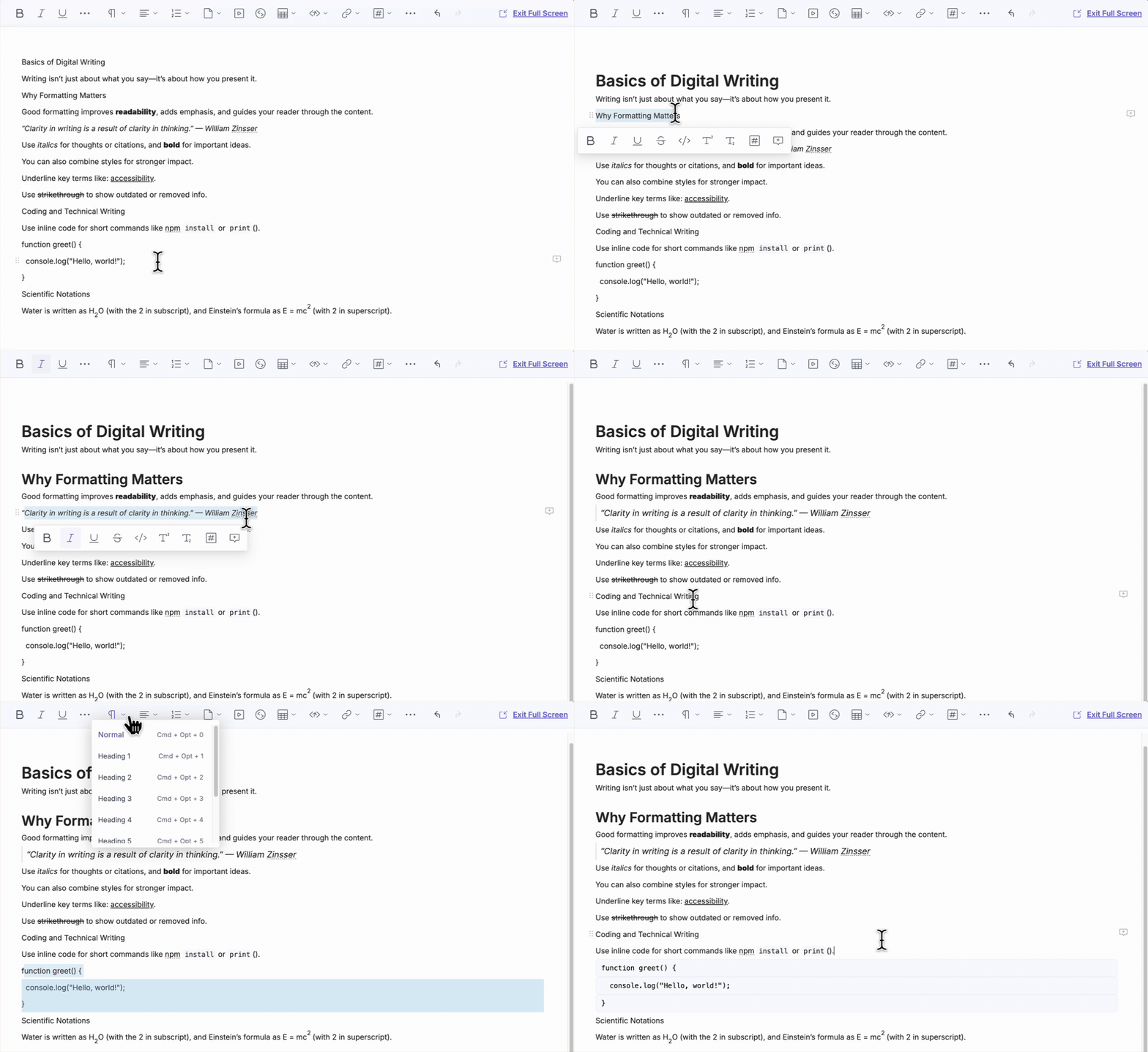
The following block-level formatting options enhance the content structure.
- Normal Text: Default text block without any special heading or styling.
- Headings (H1 to H6): Used to organize content hierarchically.
- Block Quotes: Used to emphasize quoted text or references.
- Code Snippets: Displays pre-formatted blocks of code.
Layout and Spacing
Layout and spacing options control how content is visually positioned within the editor.
Additional Resource: To understand how line breaks, new paragraphs, and list item behavior work (including the difference between Enter and Shift + Enter), refer to the Keyboard Shortcuts for JSON Rich Text Editor documentation.
Indentation and Outdentation
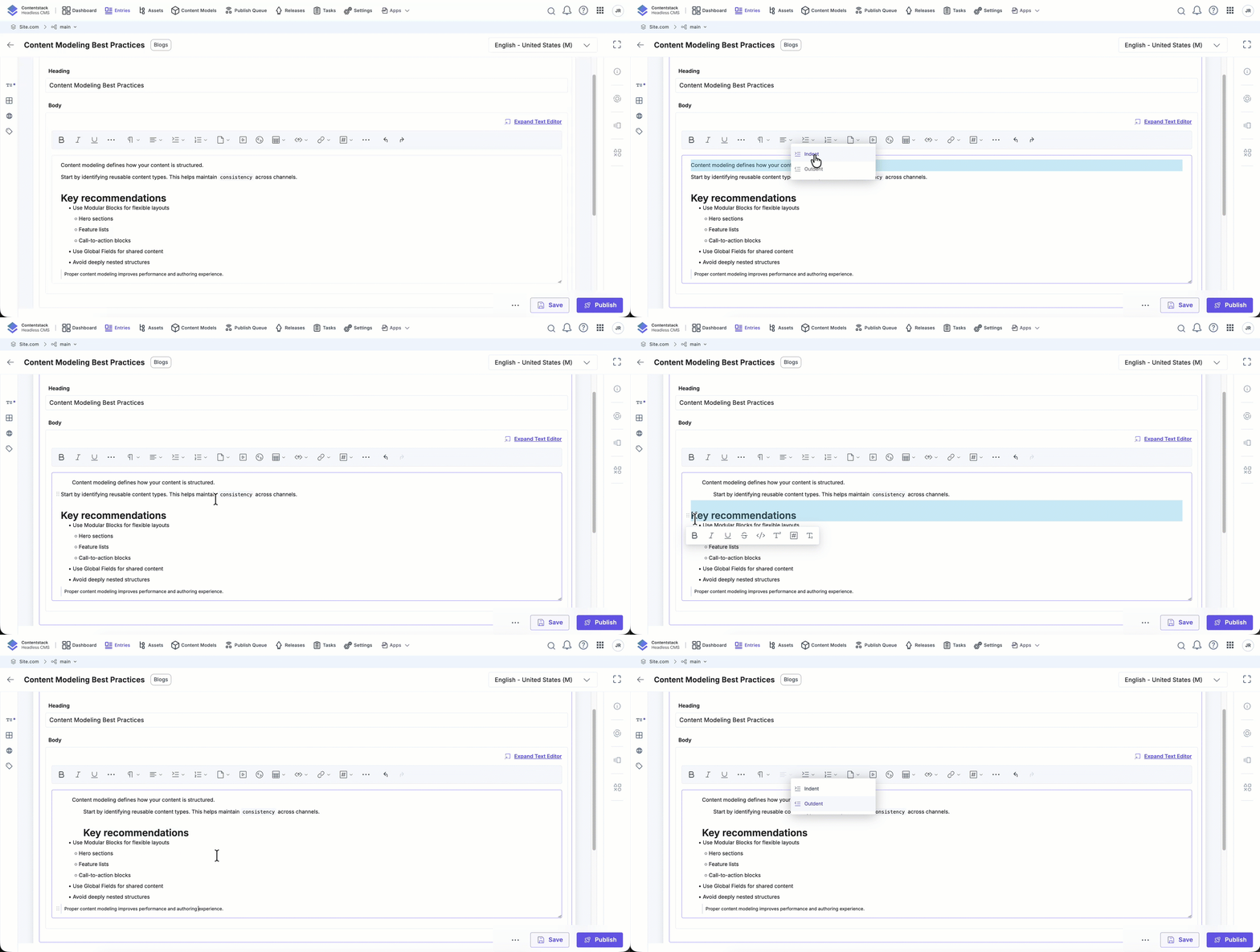
Indentation visually offsets content to improve readability and reflect hierarchy. You can apply it using the toolbar icons or keyboard shortcuts.
Indentation is supported for the following block-level elements:
- Paragraphs
- Headings
- Inline-formatted content within paragraphs (e.g., links, inline code, superscript, subscript, images)
- Block quotes
Note: Indentation is not supported for tables or entire lists. Lists follow standard nesting behavior.
You can indent or outdent content using the Indent and Outdent icons in the toolbar or use the keyboard shortcut Tab for Indent and Shift+Tab for Outdent.
Note:
- You can apply indentation using the toolbar icon at any point in a block. When using keyboard shortcuts, indentation and outdentation only work when the cursor is at the beginning of a block.
- Each indent level increases the left margin by ~30px.
- You can apply indentation up to a maximum of 20 levels.
- The drag-and-drop (DND) handle moves with the indented block.
- When using keyboard shortcuts in tables, pressing Tab moves the cursor to the next cell.
Limitations for Indentation and Outdentation
Indentation and outdentation have the following limitations:
- Indentation is disabled if text alignment (left, center, right, justify) is applied.
- Alignment options are disabled for indented blocks.
- Tables and their contents cannot be indented.
- Converting indented blocks into lists removes the indentation and reverts the list to the root level.
- Indentation metadata is preserved when rendering content through SDKs.
By using these formatting tools in the JSON RTE, you can structure content effectively for clarity, consistency, and usability, tailoring it to various editorial and technical needs.
More articles in "Work with Core Elements"
