

Import a Voice Profile
Brand Kit allows you to import preconfigured voice profiles into your stack. This is useful when migrating configurations, sharing profiles across environments, or onboarding new teams.
Prerequisites
- Contentstack account
- Brand Kit-enabled Organization with Owner or Admin permissions, or as Collaborator
Note: Only the respective Brand Kit Owners can import the Voice Profiles.
- An existing Voice Profile
What You Will Learn
How to open the Brand Kit that will receive an imported Voice Profile.
How to import a Voice Profile from a JSON file.
Which file format the import supports.
Steps for Execution
To import a Voice Profile, log in to your Contentstack account and perform the following steps:
- Navigate to App Switcher in the top-right corner and select Brand Kit.
- Select the Brand Kit that contains the Voice Profile you want to import.
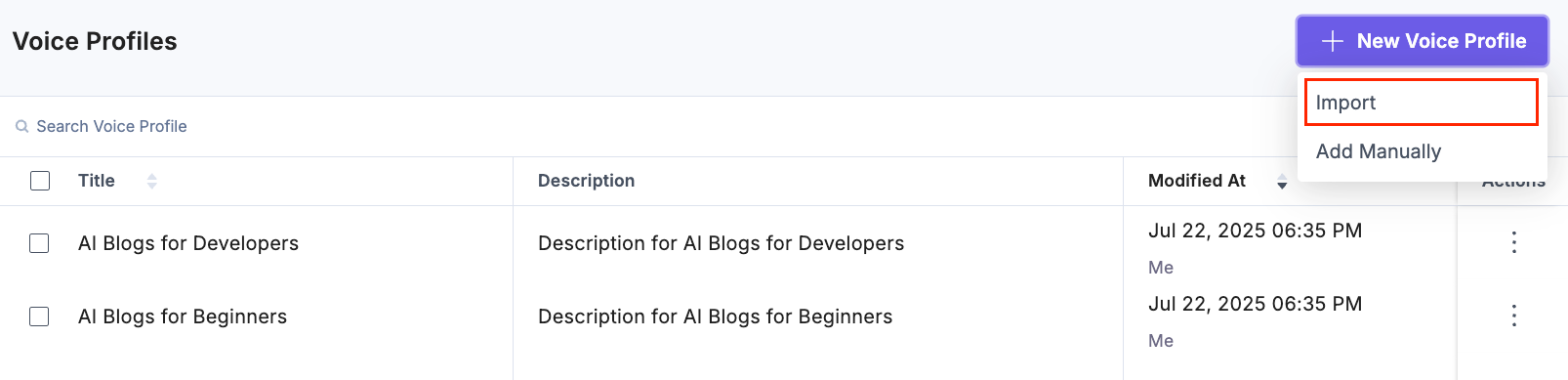
- To import a Voice Profile, click the + New Voice Profile button and select the Import option.
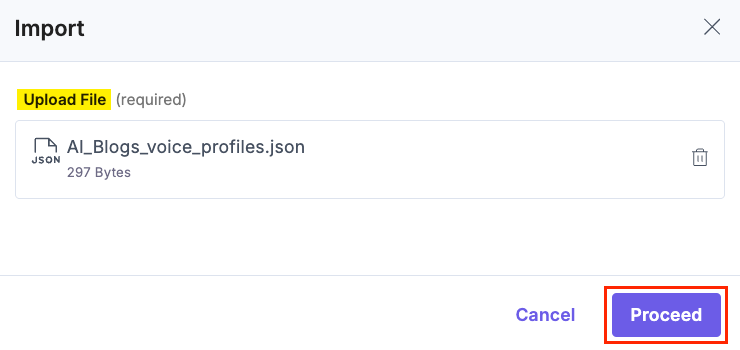
- In the Import modal, click the Upload File to browse and select the .json file containing your Voice Profile, then click Proceed.
Note:
- Import supports only valid JSON files that follow the Contentstack Voice Profile format.
- You can import Voice Profiles across different organizations to reuse settings and ensure consistency.
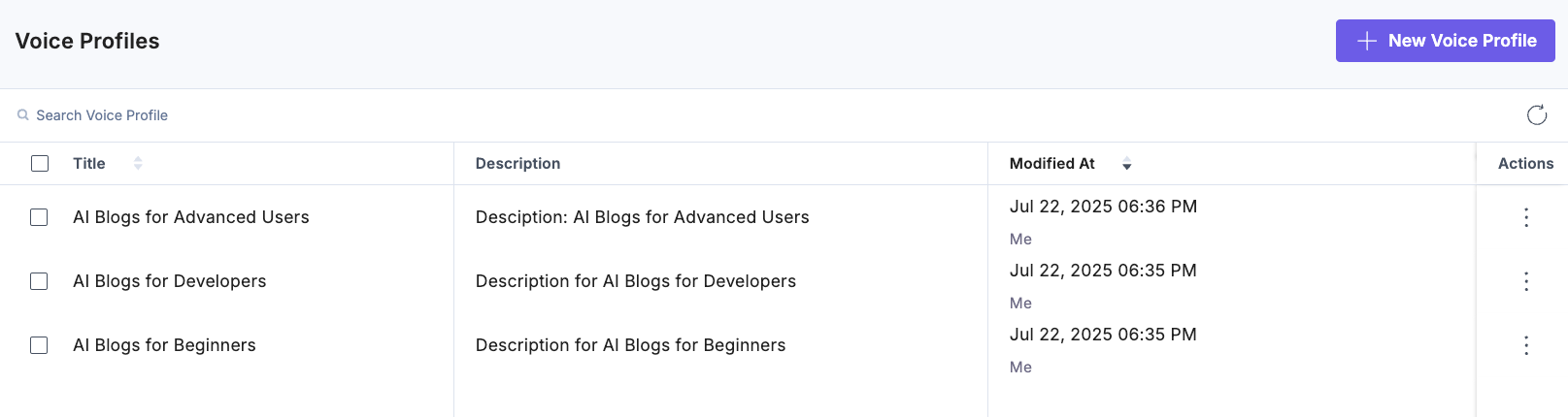
You will get a success message after the Voice Profile is imported.
Related Resource
Was this article helpful?
