

Edit a Brand Kit
You can edit certain details of a Brand Kit from the Brand Kit settings page.
Prerequisites
- Contentstack account
- Brand Kit-enabled Organization with Owner or Admin permissions
Note: Organization Owner and Admin can edit Brand Kits, whereas Organization Member can view the associated Brand Kits.
- An existing Brand Kit
Steps for Execution
To edit a Brand Kit, log in to your Contentstack account and perform the following steps:
- Navigate to App Switcher in the top-right corner and select Brand Kit.
- Select the Brand Kit that you want to edit.
- Click the Brand Kit Settings.
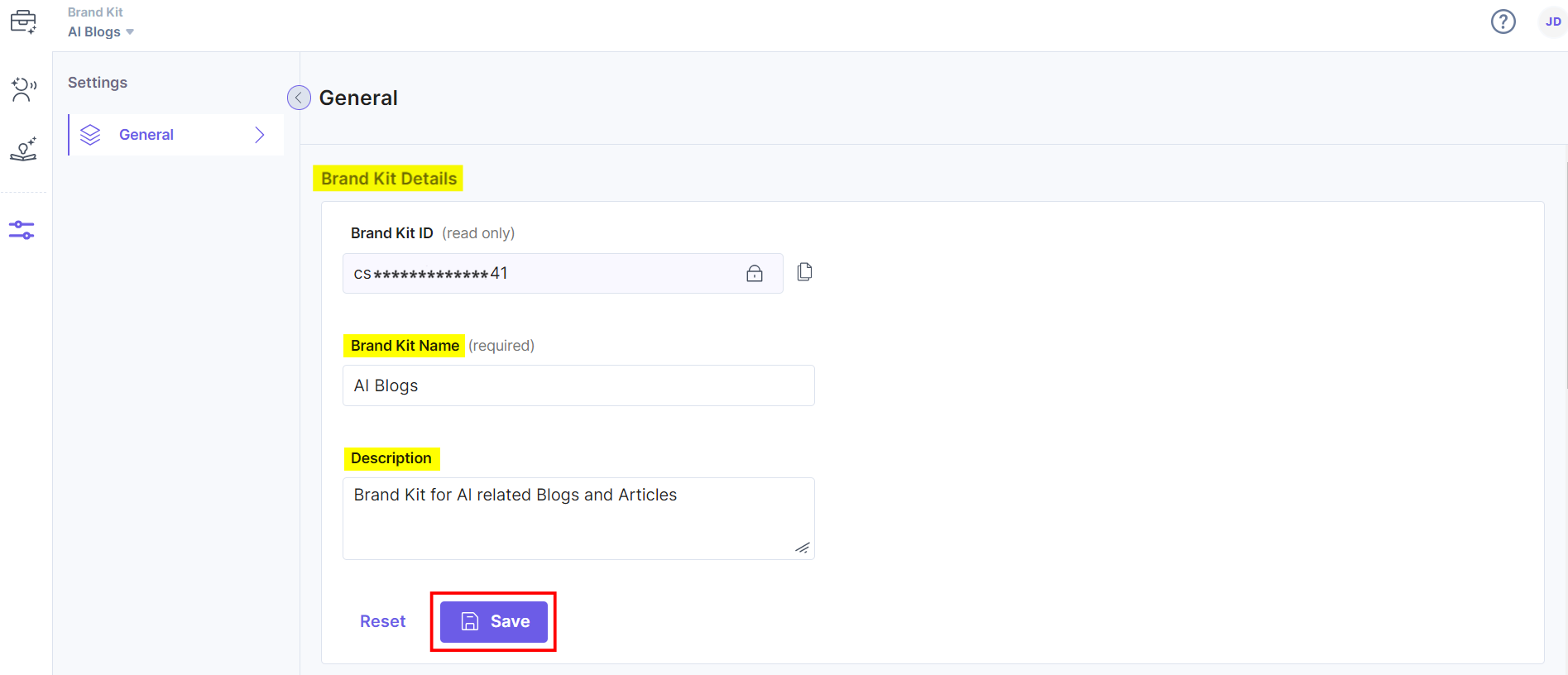
- On the Settings page, inside General, you can edit the Brand Kit Details, such as its name and description. Once you have done that, click Save.
- On the same page, under the Stack Details section, you can add multiple stacks or unlink the already added stack to the Brand Kit.
- To add more stacks, click the + Add Stacks.
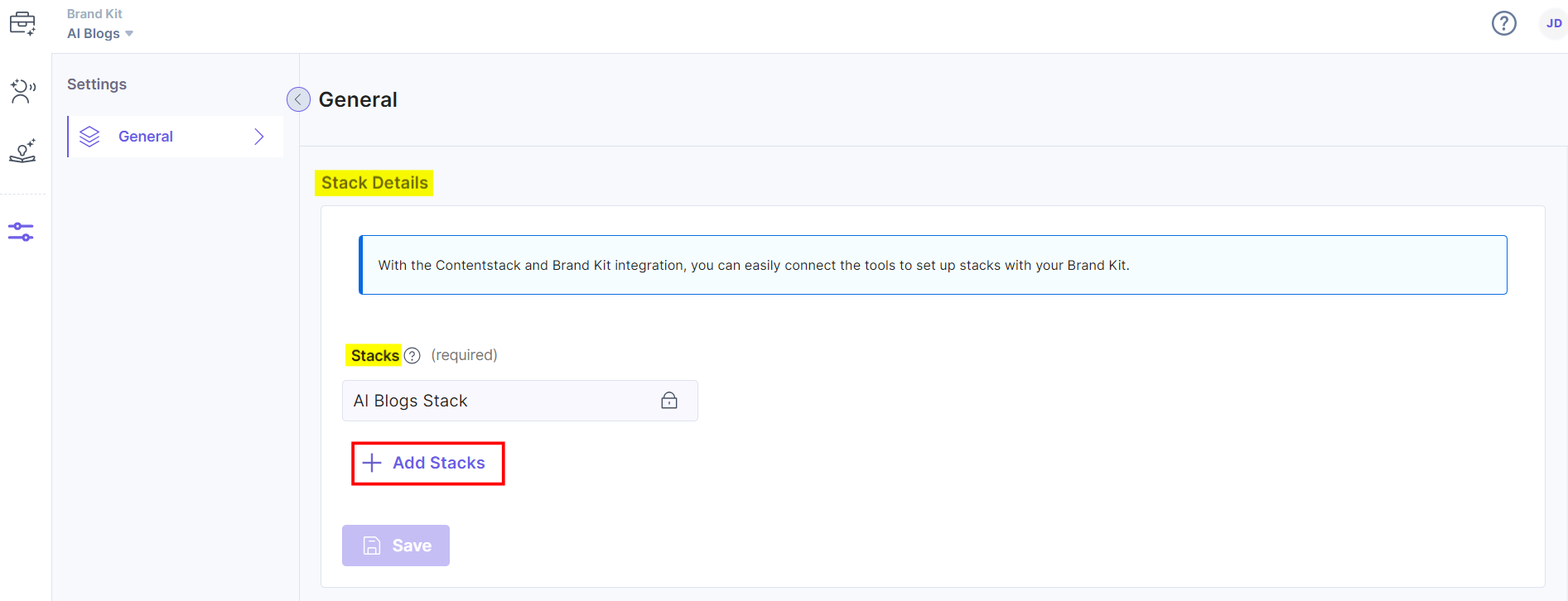
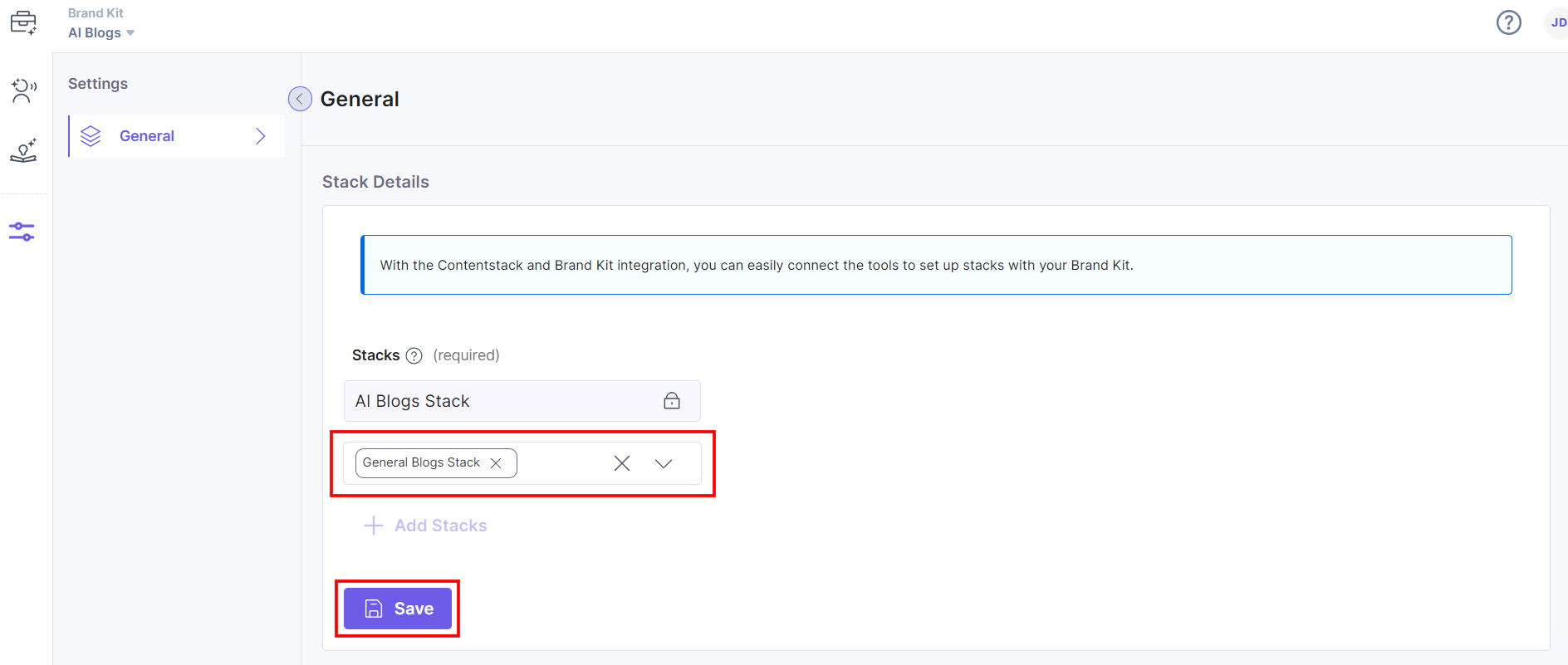
From the dropdown that opens, select the desired stack and click Save.
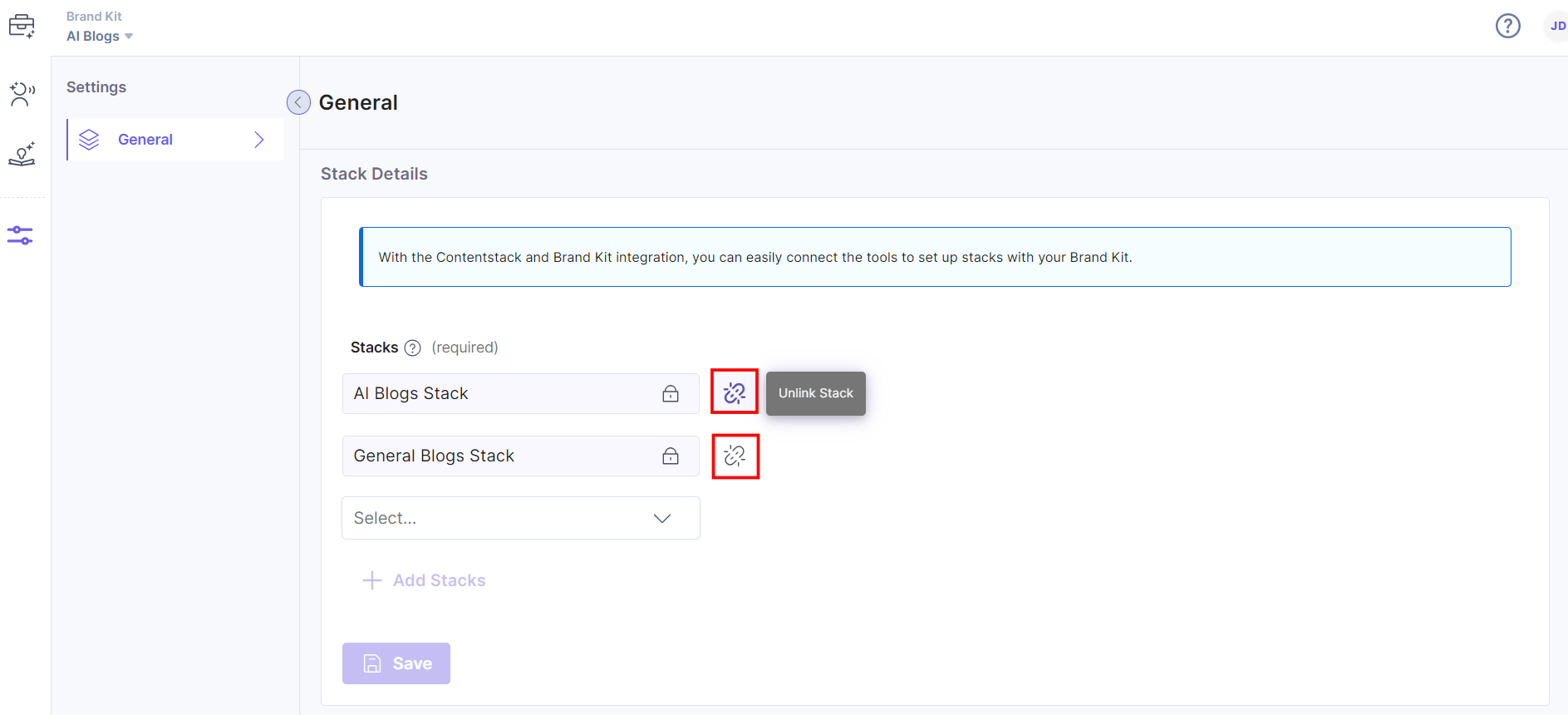
- To unlink an added stack from the Brand Kit, click the Unlink icon as shown in the screenshot below, and click Save.
Note:
- At least one stack should be linked to the Brand Kit at any given time.
- If you have only one stack linked to the Brand Kit, the Unlink icon will not be visible.
- To add more stacks, click the + Add Stacks.
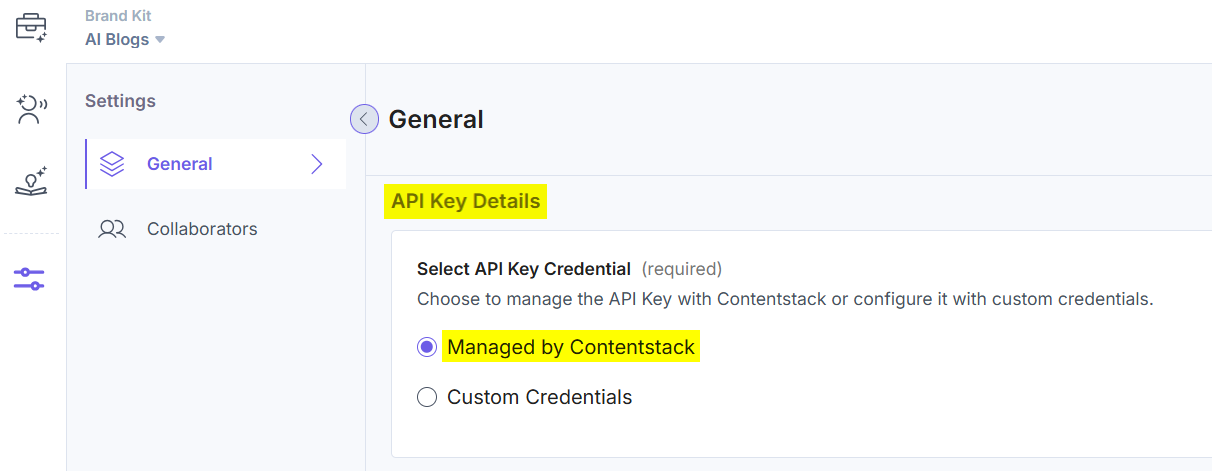
- In the API Key Details section, you can select how you want to configure Brand Kit settings. Below are the two ways in which you can configure:
- Managed by Contentstack: You can configure the app using the Contentstack-powered API keys.
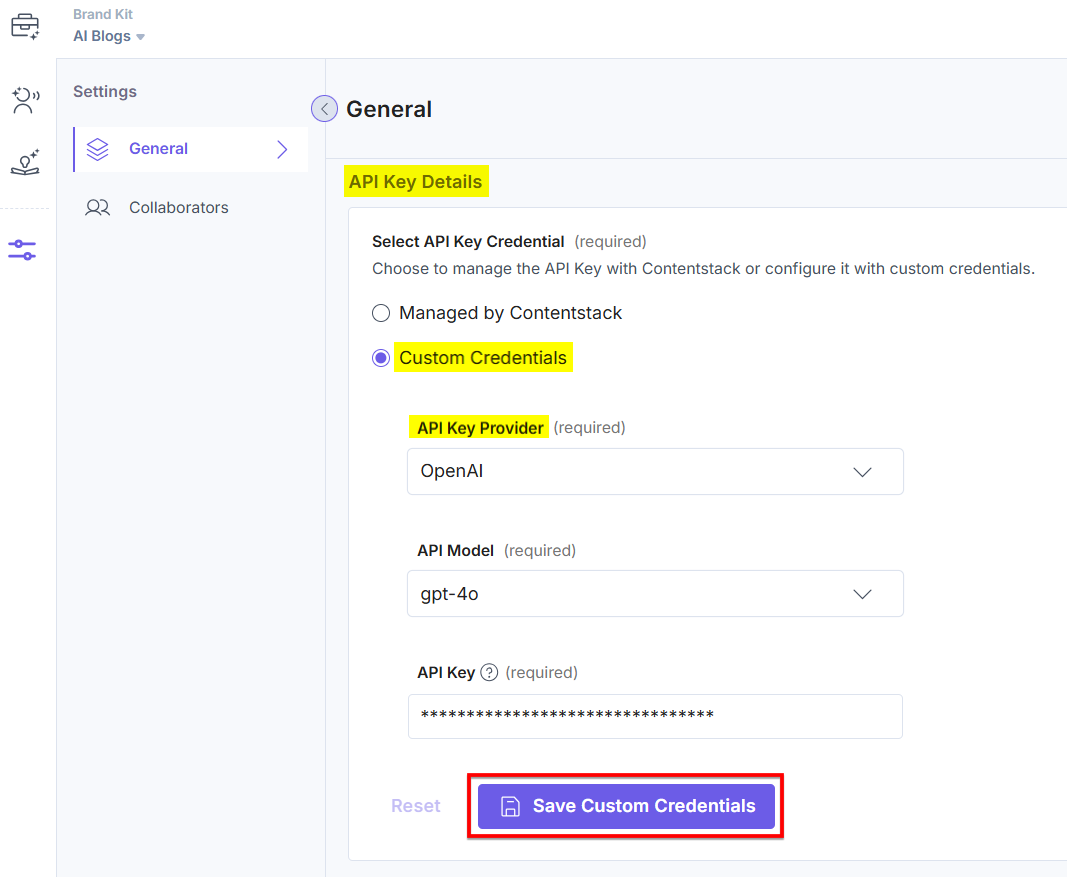
- Custom Credentials: You can configure the app using third-party API credentials. Select the API Key Provider from the available options (OpenAI, Azure OpenAI Service, AWS Bedrock, or Google Vertex AI.), provide the required credentials, and click the Save Custom Credentials button to save the settings.
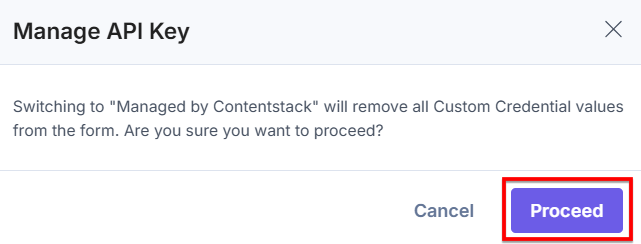
While switching from Custom Credentials to Managed by Contentstack, the credentials will be removed. Click Proceed to change the API Key configuration settings.
- Managed by Contentstack: You can configure the app using the Contentstack-powered API keys.
Related Resource
Was this article helpful?
More articles in "Working with Brand Kit"
