

Switch Between Organizations
Contentstack allows you to switch between organizations to access and manage stacks across multiple organizations. This feature allows you to move seamlessly between different organizations where you are a member.
Prerequisites
- Contentstack account
- Access to organizations as a Member
What You Will Learn
How to switch the active organization.
Where to find the organization switcher in the interface.
Switch the Active Organization
To switch between organizations, log in to your Contentstack account and perform the following steps:
- Click the “Profile” icon.
- Select your organization from the Switch organization dropdown.
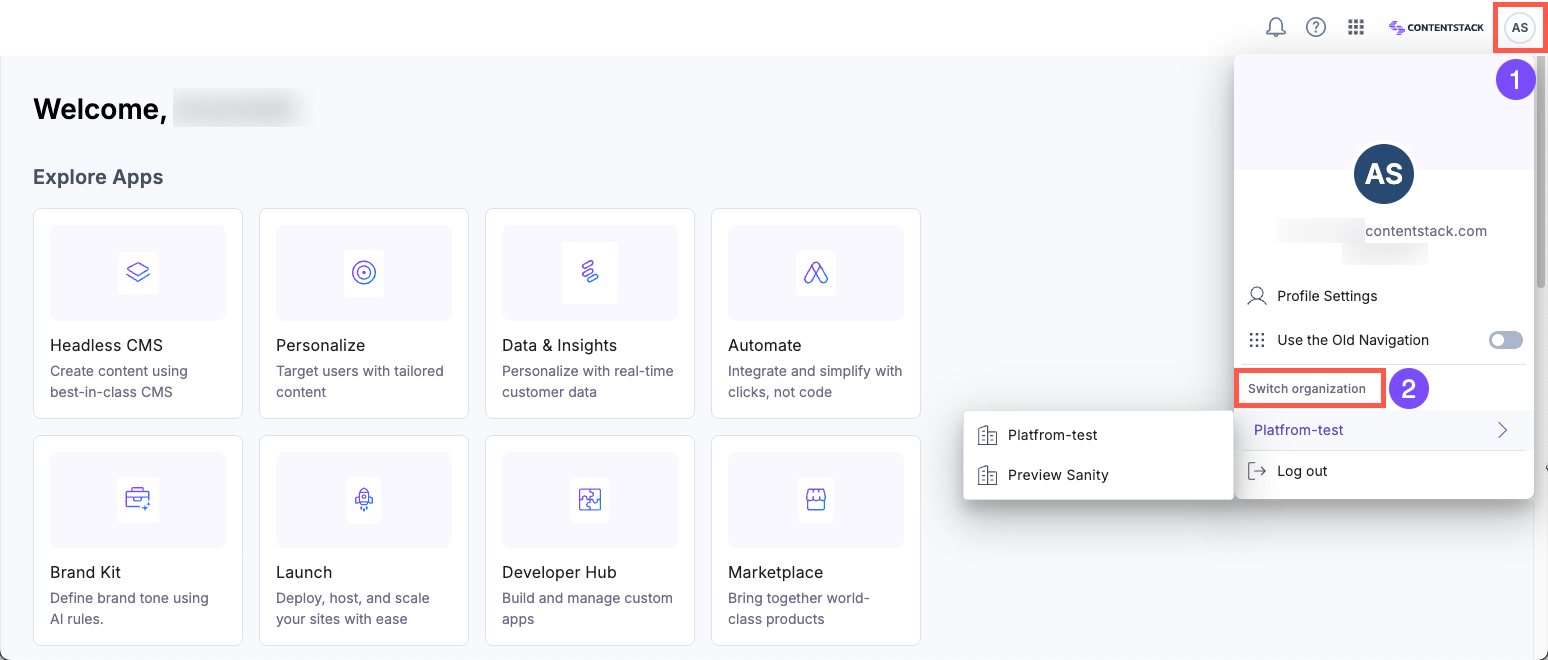
After switching, you can view the stacks for the selected organization.
Note: If you are using the old navigation, click the “Organization” tab in the header and select the organization you want to access.
Was this article helpful?
